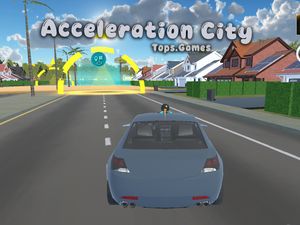
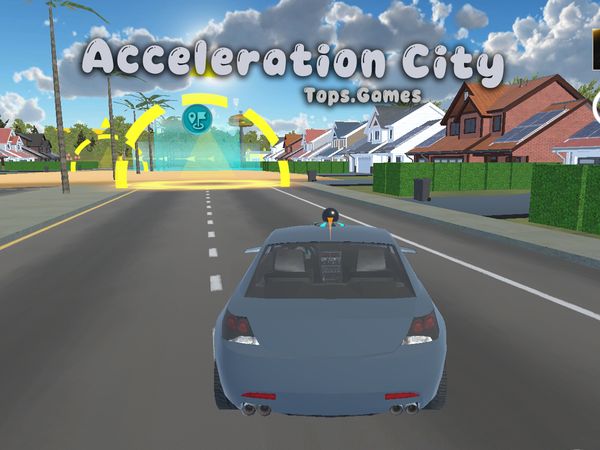
Developed by Carnegie Mellon University's Robotics Academy in collaboration with the CS-STEM Network, the game combines arcade driving mechanics with computational thinking and robot interaction.
Acceleration City turns a futuristic road network into a stunt playground, where your CoBot can reshape the route during a high-speed run. You drive across stacked highways, hit ramps, and search for new lines through the city.
Created by Carnegie Mellon Robotics Academy, this browser racing adventure mixes arcade driving with robot interaction. Your personal CoBot can provide a boost, call up a ramp, or perform a trick when you need a fresh option.
Use the keyboard, explore the multi-tier roads, and play Acceleration City online here when you are ready to test your driving.
Exploring the World of Acceleration City
Open-World Stunt Architecture
Acceleration City spreads its action across a neon futuristic city. Instead of keeping every stunt on one flat track, it stacks roads across several levels. Highways cross above lower streets, while ramps connect different parts of the driving space.
Look beyond the road directly ahead. A raised route may reveal another line through the city, and a nearby ramp can turn a simple drive into a jump. The setting rewards careful scanning because the best stunt angle may sit above or below your current path.
Use the city’s structure to create your own driving rhythm. Stay low for a steadier route, then climb toward the higher roads when you want more airtime. Multi-tier highways also make camera control useful, since a road edge can disappear from view during a sharp turn.
Ramps form the clearest landmarks. They break up long stretches of road and give you a reason to adjust your approach speed. Press the Space Bar to jump over bumps or hit ramps, then watch how the vehicle lines up with the next section.
The layout feels built for experimentation rather than strict lap reading. You can approach a stunt from different angles and keep exploring after a missed jump. That freedom gives each drive a stronger sense of discovery than a narrow point-to-point course.
Unrestricted Exploration Design
The city does not force every move into one rigid racing line. Explore side routes, change levels, and test ramps at your own pace. This open-world stunt design lets you learn the roads through movement instead of memorizing a fixed sequence.
Keep the vehicle moving while you inspect the surroundings. A turn may lead toward another tier, while a wide road gives you room to reset your approach. Acceleration City works best when you treat the city as a connected stunt space, not only as a finish-line challenge.
Acceleration City gameplay
Deploying Your Robotic Companion
The result is a road environment that can change while you are already moving through it.
Choose the moment carefully. A boost helps when you need extra speed, while a ramp can change your route and send the vehicle toward another section of the city.
Do not press E without watching the road. First check your direction and nearby space. Then call the CoBot when the new option matches your plan. A ramp works best when you already have room to approach it, while a boost makes more sense during a clear stretch.
Use the CoBot to keep each run active. It supports the game’s robot interaction without replacing your driving decisions. You still steer, control speed, and choose where to aim. The companion simply adds another way to shape the course during play.
Try short experiments at first. Call the CoBot on a broad road, observe the result, and then repeat the action near a higher route. This approach helps you understand how the altered course fits into your movement without turning every attempt into a blind jump.
Mastering Acceleration City Vehicle Handling
Throttle and Brake Modulation
Use the WASD Keys or Arrow Keys to steer, accelerate, and brake. Pick one control family and keep your fingers consistent. Smooth inputs make it easier to hold a line across narrow road sections.
Accelerate on open highways, then brake before sharp turns or ramp approaches. Entering every corner at top speed reduces your options. A short brake input gives you more time to align the vehicle with the next road.
Watch the camera while adjusting speed. If the road rises, ease off before the crest and check what waits beyond it. If the route opens up, accelerate again and prepare for the next ramp or CoBot action.
Use Space only when the jump serves a purpose. The Space Bar lets you jump over bumps or hit ramps, but a poorly timed jump can disturb your approach. Line up first, then commit.
Aerial Stability and Landing Control
Jumping off a ridge demands a clear landing view. Press C to change the camera if the vehicle’s path becomes difficult to read. Keep steering measured during the descent, and avoid sudden direction changes before the wheels meet the road.
After a high stunt, focus on recovery rather than another trick. Land, straighten the vehicle, and regain a useful line. Once the road feels stable, accelerate toward the next city section.
Run Structure and Session Objectives
Continuous Open Session Flow
Acceleration City centers on open sandbox driving across futuristic roads. A session can focus on movement, discovery, or stunt practice rather than one narrow route. You decide whether to keep climbing, return to lower streets, or test another ramp.
That structure supports continuous exploration. Miss a turn, then redirect the vehicle. Lose a clean jump, then find another approach. The game’s open-world layout keeps attention on the city and its driving options.
Single-player play also gives you space to learn without competing for control of the vehicle. Practice the keyboard inputs, call the CoBot, and study each tier at your own pace. Small adjustments often reveal better routes than rushing ahead.
Course Completion and Stunt Goals
Set simple goals for each run. Reach a higher road, land a ramp cleanly, or use the CoBot to create a new stunt line. These targets give direction while preserving the city’s free-form driving style.
Once one goal feels easy, choose another route and keep experimenting.
🎯 Fun Facts About Acceleration City
Acceleration City was designed by Carnegie Mellon University's Robotics Academy as an engaging introduction to robotics concepts.
Acceleration City FAQs
What are the basic controls for Acceleration City?
Keyboard: WASD Keys - steer, accelerate, and brake; Arrow Keys - steer, accelerate, and brake; Space Bar - jump over bumps or hit ramps; E Key - call your cobot for a boost, ramp, or trick; C Key - change camera.
Is there an Acceleration City 2?
No. Acceleration City 2 has not been released — Acceleration City is the newest game in the series.
Can I play Acceleration City on mobile devices?
Acceleration City opens in a phone browser, but it is played with the keyboard, so a computer works best.
Do I need to download Acceleration City?
No. Acceleration City runs in your browser on this page, with nothing to download or install.
Conclusion
Acceleration City is a 3D Arcade Racing Adventure designed for browser play, with a focused single-player experience. Its appeal comes from direct, responsive driving: use WASD Keys or Arrow Keys to steer, accelerate, and brake, then press the Space Bar to jump over bumps or hit ramps. These simple controls make every stretch of the road feel active and engaging.
The E Key lets you call your CoBot for a boost, ramp, or trick, while the C Key changes the camera so you can find a view that suits your drive. Built with Unity WebGL, Acceleration City combines accessible controls with playful racing action. Take control, explore its driving challenges, and play Acceleration City right here on this page.