Play Stickman Climb 2 Online for free. Grab your pickaxe and go. The climb feels wild and fun. Every move matters a lot.
This physics platformer keeps runs short. You retry fast and learn quick. Small wins feel great each time. Big mistakes teach even faster.
Voodoo launched the game in 2021. Kids and grown-ups enjoy it daily. Play on Tops.Games and start climbing. Try Single Player routes for practice.
What is Stickman Climb 2?
Game Overview
Stickman Climb 2 is a physics platformer. You swing, hook, and vault upward. The world reacts to every nudge.
You can play stickman climb 2 free. It runs on browser portals like poki. It also suits quick mobile sessions.
- Expect tricky parts: Rope swings, pickaxe walls, moving platforms.
- Know the feel: Small taps change angle and speed.
- Remember release date stickman: Date Stickman Climb is 2021.
Why It Resonates with Players
Many player types enjoy short retries. It works for school breaks. It fits quick bus rides too.
How to Play Stickman Climb 2
Getting Started
Open the game on Poki or mobile. The title screen loads fast. Press play and pick a mode.
- Close tabs: Keep only the game tab open.
- Pick practice: Use easier climbs first.
- Check sound: Keep effects for timing cues.
Basic Gameplay
Use keys or touch to lean and hook. Watch UI arrows for direction. The stickman moves with momentum.
- Keyboard: A/D or arrows tilt your body.
- Mouse/touch: Hold to grab edges.
- Retries: Quick restarts help practice.
Primary Objective
Reach the goal without falling down. Avoid traps and gaps. Use checkpoints when available.
- First level plan: Move slow and learn timing.
- Warm-up: Ten gentle swings before climbs.
- Practice loop: Retry segments three times each.
Core Mechanics & Controls
Movement & Momentum
Momentum controls almost everything here. Short taps adjust small angles. Long holds change arcs a lot.
- Feather taps: Nudge for tiny course fixes.
- Commit holds: Hold longer for big swings.
- Watch pendulum: Feel the speed build.
Rope and Grapple Physics
Releasing early gives more height. Releasing late gives distance. Match release with your route plan.
- Height need: Release slightly before apex.
- Distance need: Release just after apex.
- Buffer tap: Tap again to recover control.
Pickaxe and Wall Interaction
The pickaxe can brake or propel. A soft catch stops sliding. A quick pull launches outward.
- Brake: Hold steady near flat faces.
- Propel: Snap grab, then push outward.
- Keyboard tip: Map grab to a comfy key.
Advanced Physics & Frame Optimization
Advanced Physics Tweaks
HTML5 physics uses time steps. Stable frames feel smoother. Your inputs match better then.
- Use one monitor: Avoid mixed refresh rates.
- Lock refresh: Keep stable 60Hz or 120Hz.
- Close overlays: Turn off record overlays.
Frame-by-Frame Jump Timing
Watch the apex frame closely. Press just before peak height. You get clean vertical gains.
- Record runs: Use 60fps video capture.
- Advance frames: Note exact release frame.
- Replicate: Count beats to that frame.
Reducing Micro-Stutters
Tiny hiccups ruin arcs fast. Cut background CPU spikes. Keep memory clean for stability.
- Disable sync apps: Pause cloud backups.
- Power plan: Set high performance mode.
- GPU setting: Prefer maximum performance.
Input & Latency Optimization for HTML5 Builds
Resolving Input Lag in Browsers
Lower lag helps consistency a lot. Chrome, Edge, and Firefox differ. Test which feels best.
- Turn on hardware acceleration: Enable in browser settings.
- Disable extensions: Remove heavy blockers or recorders.
- Use clean profile: Test with fresh profile.
Optimal Browser and Device Settings
Stable refresh beats higher numbers. 60Hz is okay and steady. 120Hz can feel snappier.
- Fullscreen: Use F11 for exclusive feel.
- Touch sampling: Enable high touch rate mode.
- Thermal control: Keep the device cool.
Controller & Touch Best Practices
Controllers can reduce strain. Touch works great with practice. Pick what feels natural.
- Bind grab: Set to bumper or trigger.
- Deadzones: Lower deadzones for fast response.
- Lag test: Film screen and controller.
Maps, Obstacles, and Level Design Deep Dive
Common Obstacle Types
Hazards teach timing and control. You see saws and spikes. Collapsing ledges add quick pressure.
- Moving platforms: Match speed before landing.
- Wind zones: Tilt body into push.
- Timed doors: Wait a full cycle first.
Reading Level Flow
Every level has a rhythm. Safe lines feel calmer. Risky lines need perfect timing.
- Scan first: Watch the platform cycles.
- Mark resets: Pick bailout spots to stop.
- Chunk it: Learn three chunks per map.
Route Optimization
Choose high-success lines for learning. Switch to shortcuts later. Your consistency will climb fast.
- Slow reset: Stop swinging if off-line.
- Commit call: Go when cycle aligns well.
- Skip test: Try one risky skip per run.
Strategies, Tips & Training Routines
Warm-up and Muscle Memory Drills
Short practice beats long grinds. Twenty minutes works great. Keep drills simple and focused.
- Five minutes: Gentle swings and soft releases.
- Ten minutes: Arc height into arc distance.
- Five minutes: Pickaxe brake then micro hops.
Common Mistakes and Fixes
Over-grabbing slows movement hard. Late releases kill distance. Tilting too much breaks balance.
- Over-grab fix: Count one beat then release.
- Late release fix: Release slightly pre-apex.
- Tilt fix: Center body before catch.
Speedrun and Casual Strategies
Casual runs favor safety lines. Speedruns love flow chains. Pick your style and commit.
- Casual: Reset momentum near traps.
- Speedrun: Chain swings through open rooms.
- Poki players: Use browser fullscreen mode.
Level Editor, Mods, and Community Content
Custom Levels and User Challenges
Official editors may be limited. You can craft challenges anyway. Use time splits and checkpoints.
- Set rules: Choose route and allowed grabs.
- Pick goals: Time limits or retry caps.
- Share map: Describe obstacles clearly.
Sharing and Ranking Runs
Community runs need clear proof. Clean videos help ranking. Show inputs if possible.
- Title format: Level, time, platform, date.
- Camera: 60fps minimum for clarity.
- Timer: On-screen timer synced to start.
Using Community Tools
Use simple tools for notes. Add arrows and pauses. Explain key releases and grabs.
- Annotate: Draw lines for swing paths.
- Voice: Call out timing counts.
- Forums: Post on Tops.Games threads.
Performance, Troubleshooting & Compatibility
Memory and CPU Tips
Browser games like clean memory. Tabs eat resources fast. Keep only the game active.
- Clear cache: Do a weekly cleanup.
- Task manager: End heavy background tasks.
- Resolution: Lower window size if needed.
Resolving Crashes and Glitches
Crashes often signal extensions. Glitches can be driver issues. Update and retest after changes.
- Incognito test: Check clean environment.
- Driver update: Install latest GPU driver.
- Reset flags: Restore default browser flags.
Cross-Platform Compatibility
Physics should feel consistent. Still, devices vary slightly. Test routes across platforms.
- Mobile heat: Play with a cool case.
- Desktop sync: Disable variable refresh first.
- Physics check: Compare jump heights daily.
Mastery Path: From Beginner to Stickman Climb 2 Pro
Skill Progression Milestones
Set clear milestones for growth. Start with stable swings. Then build controlled distance launches.
- Beginner: Ten clean apex releases.
- Intermediate: Chain three swings to gap.
- Advanced: One-cycle complex section.
Building a Practice Schedule
A 30-day plan works well. Keep sessions consistent daily. Track times and retries carefully.
- Week one: Balance and soft catches.
- Week two: Distance arcs and landings.
- Week three-four: Full level speed routes.
Measuring Improvement
Use simple numbers for proof. Time, retries, and stability count. Graph progress each week.
- Completion time: Record best and average.
- Retries per level: Aim steady downward.
- Flow score: Note unbroken sections.
Stickman Climb 2 rewards smart play. The physics feel tight and fair. Short sessions still feel epic.
Jump in now on Tops.Games. Train solo in Single Player. Try friendly races in Multiplayer challenges.
Ready to climb master routes today? Become a true climb master. The mountain waits for you. Start your best run now.
Compare with Similar Games
| Game |
Why Similar |
| Stickman Hook |
Similar rope-swing physics and minimalist stick-figure mechanics that emphasize timing and momentum. |
| Happy Wheels |
Physics-based obstacle courses with player-created levels and emphasis on creative ways to traverse hazards. |
| Rope Rescue (or similar rope physics title) |
Focuses on grappling and rope dynamics in obstacle courses, making it a natural crossover for players who enjoy timing-based swings. |
🎯 Fun Facts
- Many players improve significantly by practicing just 15 minutes a day on targeted levels.
- Small browser optimizations (disabling extensions) can noticeably reduce micro-stutters during swings.
- Community-created challenges often focus on completing levels with minimal grabs or under strict time limits.
✨ Key Features
- Intuitive grab-and-release rope mechanics
- Short, replayable levels for quick sessions
- Accessible controls for keyboard, mouse, and touch
- Leaderboards and time-based challenges (portal-dependent)
- Low system requirements (HTML5 optimized)
Stickman Climb 2 FAQs
Is Stickman Climb 2 safe for kids?
Yes. Stickman Climb 2 is largely non-violent and focuses on physics-based platforming with stick-figure visuals. Parental guidance is suggested for in-game ads or chat features on some portals, but the core gameplay is generally appropriate for children.
Can I play Stickman Climb 2 for free?
Yes. Many portals host stickman climb 2 free as an HTML5 browser game on sites like Poki. Some mobile stores may offer a free version with optional in-app purchases or ads; always check the publisher page for exact pricing.
Which browser is best for performance?
Chrome and Edge typically deliver the most consistent HTML5 performance due to frequent engine updates and hardware acceleration support. Disable heavy extensions and enable hardware acceleration to reduce input lag and micro-stutters for smoother play.
Does Stickman Climb 2 have multiplayer?
Stickman Climb 2 is primarily a single-player, score- and time-based platformer. Some versions or portals may offer local shared-screen challenges or leaderboards, but core gameplay focuses on individual runs and personal improvement.
How do I reduce input lag on mobile?
Close background apps, enable high-performance mode if available, and ensure touch sampling is set to default or high in device settings. Playing in full-screen gives slightly better responsiveness than browser tabs on some phones.
Are there speedrunning techniques for this game?
Yes. Advanced players use frame-synced releases, momentum-preserving routes, and optimized rope anchors to shave seconds. Practicing consistent routes and studying top runs helps identify where to safely take shortcuts.
Where can I find community levels or mods?
Community content is usually shared on game forums, Discord servers, or portal comment sections. If a built-in level editor isn’t present, players often share challenge videos and map concepts for others to replicate.
What controls should I learn first?
Master the tap/hold rhythm for swings and the precise release window to convert vertical motion into horizontal momentum. Begin with steady, repeated swings on easy levels until timing becomes second nature.
Why does the game stutter on my PC?
Stutters often come from background tasks, GPU throttling, or browser extensions. Try closing other tabs, disabling extensions, enabling hardware acceleration, and checking for driver updates to improve frame stability.
Can I use a controller to play?
Many browsers and ports support controllers. Mapping a single button to “grab/release” and the joystick for subtle movement can reduce input complexity; check portal settings for controller support and bindings.
How do checkpoints work?
Checkpoints differ by build: some levels restart immediately after failure, others save progress at mid-level anchors. Use checkpointed sections to practice difficult transitions without replaying entire levels.
Is there an offline version?
Some publishers provide downloadable mobile builds that can run offline after installation. The browser "stickman climb 2 free" experience typically needs an online portal, though caching can allow brief offline play.
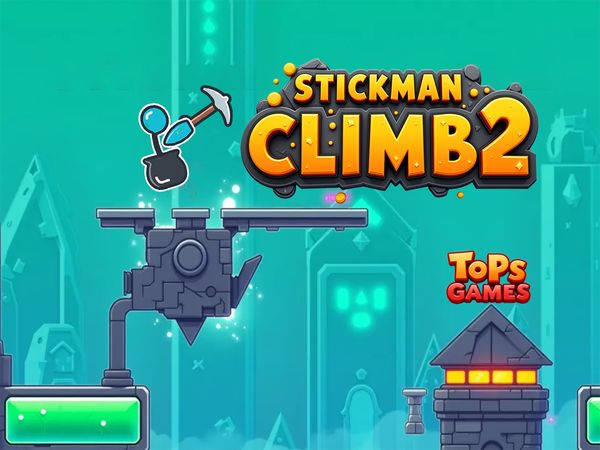
Stickman Climb 2 Game Image


No comments yet. Be the first to share your thoughts!