Whopper Clicker was created as an indie community project on Scratch by developer SquareXYZ before gaining broad traction across various browser gaming portals.
Whopper Clicker turns one left-click on a giant burger into a fast-growing production loop. Each click earns points and Whoppers, giving your kitchen more power to grow. The appeal comes from watching a simple action become a large idle operation.
The game keeps its focus clear. Click the central Whopper, collect your earnings, then spend them on stronger production. As your setup improves, the burger total rises faster, even when your attention moves away from the screen.
Want a quick browser session with steady progress? You can play Whopper Clicker online without downloading anything. Start with a few focused clicks, build your first upgrades, and let the production cycle take shape.
Core Mechanics of Whopper Clicker
Manual Burger Generation
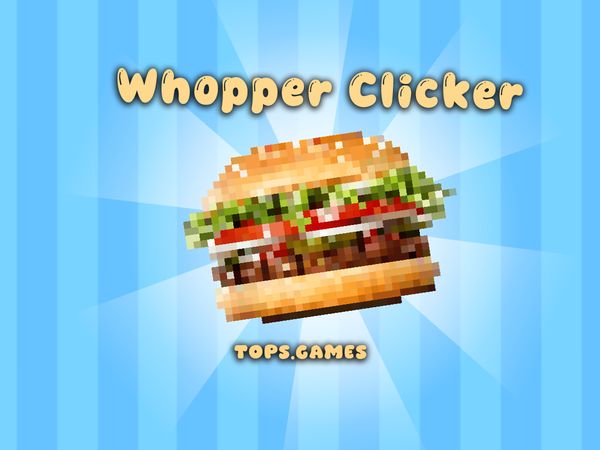
Begin with the large Whopper at the center of the game. Use the Left Mouse Button to click it and earn points. Those clicks also produce Whoppers, which fund the upgrades that push your kitchen forward.
Every click gives you a direct role in the opening phase. You do not need to wait for an idle system before making progress. Hold a steady rhythm, watch your total rise, and build enough currency for the next useful purchase.
Manual clicking works best when your production is still small. At that stage, each press makes a noticeable difference. A short burst of focused clicking can move you toward an upgrade much sooner than waiting for passive income alone.
Keep your attention on the central burger while you build momentum. The control scheme stays simple, so your decisions matter more than complicated inputs. Click, check your total, and decide whether another burst will help you reach a stronger production level.
The key lesson stays consistent: clicking creates the starting fuel. Do not treat the burger as a background image. It is the main source of early progress, and every upgrade begins with the Whoppers and points you gather there.
The Escalating Production Loop
Whopper Clicker follows a clear cycle. Click the burger, collect points, and spend your Whoppers on production improvements. Better output then shortens the wait for the next purchase.
That loop creates the game’s steady sense of speed. Early gains come from your mouse, while later gains come from a stronger setup. Keep switching between action and spending, and the total can climb without a hard stopping point.
Upgrades and Kitchen Equipment
Passive Production Tools
Shop items and kitchen equipment add passive output to your run. They keep burgers coming without requiring a click for every unit. This change gives your hands a break while your total continues to grow.
Buy passive tools when manual clicking starts to feel too slow. A useful purchase should improve the amount your kitchen creates over time. After buying one, watch how quickly your balance returns and judge the next purchase from that result.
Passive production also changes how you use short sessions. You can click actively at the start, buy equipment, then let the kitchen work while you decide your next move. The game still rewards attention, but it no longer demands constant mouse input.
Think of each tool as part of a larger production chain. One item may provide a modest gain, while several upgrades create a much stronger flow. Keep building that flow instead of spending every Whopper on small temporary progress.
Kitchen equipment gives the idle side of the game its purpose. Your clicks create the initial funds, then automated output carries more of the workload. That balance keeps the run moving during both active and quieter moments.
High-Tier Kitchen Investments
High-tier kitchen investments matter when basic equipment no longer changes your total very much. Save enough Whoppers for purchases that noticeably improve passive output. A larger improvement can repay its cost faster than several minor buys.
Do not rush into an expensive item without checking your current pace. Keep clicking if the purchase remains distant, then reassess once your balance grows. Strong equipment should support the whole production system, not replace smart spending.
Strategic Progression in Whopper Clicker
Balancing Active and Idle Play
Use manual clicking when you need a quick push. The Left Mouse Button remains your fastest way to add points during the opening moments of a session. Click until the next meaningful upgrade comes within reach, then let passive production take more responsibility.
Switching styles keeps your time efficient. Active play works well when every click adds a visible amount. Idle production becomes more useful after equipment raises the steady flow, especially when repeated clicking gives only a small extra gain.
Try this simple rhythm during a run. Start with a focused clicking burst, buy an upgrade, and watch the new output for a moment. If the total climbs slowly, click again; if it rises well on its own, save your attention and your Whoppers.
Avoid spending just because you can afford something. Compare the purchase with your current output and ask whether it changes the pace enough. This habit prevents small buys from delaying a stronger automated improvement.
Reinvestment Priorities
Prioritize upgrades that improve your main production rate. Use clicks to reach them, then protect enough Whoppers for equipment that keeps working without input. This approach supports both parts of the game instead of favoring one side.
When two purchases look close, choose the one with the clearer effect on future output. Keep building your base rate before chasing tiny gains. A stronger foundation makes every later click and passive tool more valuable.
Start playing Whopper Clicker here and build your burger total now.
Origins and Community Growth
Scratch Development Roots
SquareXYZ developed Whopper Clicker on Scratch. The project began as an indie community coding effort on that educational platform. Its core idea stayed easy to understand: click a giant burger, earn points, and grow production.
Scratch gave the game a natural place to develop its simple idle-clicker structure. A clear central action helped players understand the goal quickly. The production loop also gave the project room to grow beyond its first few clicks.
That origin explains the game’s direct design. Whopper Clicker does not need a large control scheme or a long setup before the main action begins. The burger, the click, and the upgrade path form the main experience.
As the title gained traction, more players encountered it through browser gaming platforms. Its short learning curve helped it travel well across those online spaces. Players could open a browser session and understand the basic loop almost immediately.
Browser Port Adaptations
Browser versions made Whopper Clicker easy to access across online gaming platforms. That format suits quick sessions, since players can begin clicking the central Whopper with a mouse.
The shared experience remains focused on its idle-clicker foundation. Click for points, build Whoppers, and improve production through shop items and kitchen equipment. The browser setting expands access without changing that simple goal.
Endgame Goals and Milestones
Reaching Maximum Efficiency
Whopper Clicker has no hard game-over state pushing you to stop. Instead, the run keeps asking how far you can raise production. Your main goal becomes efficiency: earn more with fewer manual clicks and keep the kitchen working at a stronger rate.
Measure progress by the pace of your total, not only its current size. A large balance feels good, but a faster production cycle gives you more options later. Check whether your equipment meaningfully improves output before committing to another purchase.
Maximum efficiency comes from combining both sides of the system. Manual clicks provide control when you need immediate progress. Passive kitchen tools maintain the flow between those bursts and keep the run moving while you are less active.
Set personal milestones around stronger output and faster reinvestment. Reaching a new production pace gives the endless loop a clear target. Then continue raising that target as your Whopper total grows.
Tracking Massive Production Totals
Large totals give each run its long-term scale. Watch how quickly points and Whoppers accumulate after every upgrade. The number itself matters, but the changing pace tells you more about your current setup.
Keep an eye on total output during active and idle periods. Compare the difference after a purchase, then use that result to guide the next investment. With no fixed finish line, steady growth becomes the milestone.
Both use an incremental clicking mechanic where repeatedly clicking a central food item produces currency to purchase passive auto-producers and upgrades.
✨ Key Features of Whopper Clicker
Endless burger-stacking idle clicker loop
Automated kitchen equipment for passive output
Progressive shop upgrades to boost clicking strength
Instant, free browser play without downloads
How to Play Whopper Clicker
Step 1: Use the game controls
Use Left Mouse Button to click the big Whopper to earn points.
Step 2: Click the Central Whopper
Left-click the giant burger sprite on the screen repeatedly to generate your initial batch of Whoppers.
Step 3: Access the Upgrade Shop
Open the side menu to view available kitchen tools, equipment, and automated production boosters.
Step 4: Purchase Production Upgrades
Spend accumulated burgers on equipment that increases output per click or adds continuous passive production.
Step 5: Automate Burger Stacking
Let your unlocked kitchen tools generate massive Whopper totals automatically while checking back regularly to reinvest your profits.
Whopper Clicker FAQs
What are the basic controls for Whopper Clicker?
Browser mouse: Left Mouse Button — click the big whopper to earn points.
Can I play Whopper Clicker on mobile devices?
Yes. Whopper Clicker runs in your phone or tablet browser. It is played by pointing and clicking, so a tap does the same job.
Do I need to download Whopper Clicker?
No. Whopper Clicker runs in your browser on this page, with nothing to download or install.
Is Whopper Clicker an official Burger King game?
No, it is an independent, fan-made idle game originally developed by creator SquareXYZ. It is not an official commercial release published or endorsed by Burger King.
Conclusion
Whopper Clicker offers a wonderfully focused idle clicker experience built around one simple action: click the big Whopper with the left mouse button to earn points. That clear interaction makes the game easy to understand while keeping every click meaningful, whether you want a quick session or a relaxed singleplayer activity.
As a browser game, Whopper Clicker is convenient to enjoy without extra platforms or complicated controls. Its straightforward design keeps the attention on clicking, earning points, and enjoying the satisfying rhythm of the experience. If you are ready for a simple and engaging clicker, play Whopper Clicker right here on this page.
Whopper Clicker Game Video
YouTubeWatch Gameplay
Game Controls
Left Mouse Button
Click the big Whopper to earn points.
No comments yet. Be the first to share your thoughts!


No comments yet. Be the first to share your thoughts!