Developed using the Unity engine and exported via WebGL, Tap Road was built to deliver rapid, lightweight arcade action directly inside modern web browsers without requiring external clients or heavy downloads.
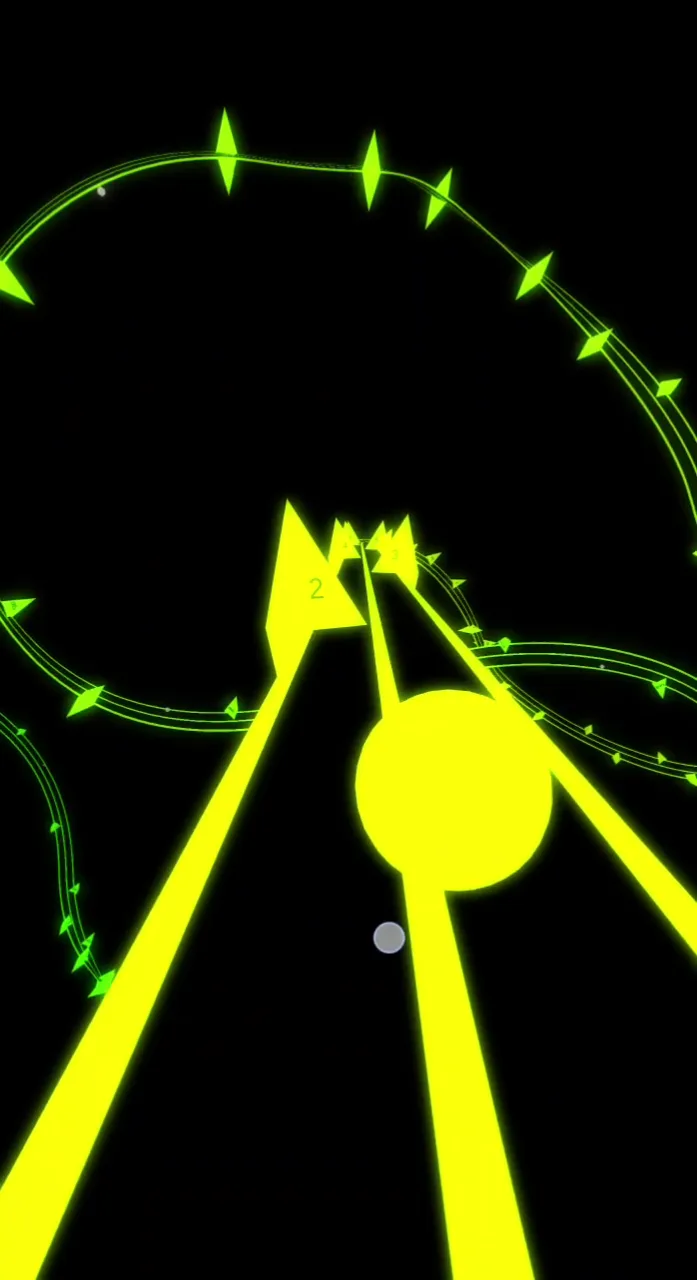
Tap Road turns one button into a full test of reflexes. You roll a ball down a neon twin-lane highway, and every press snaps it to the other side of the track. There is no steering to learn and no wheel to turn. Just you, the spikes, and a road that never stops getting faster.
You can play Tap Road online on desktop or mobile and be rolling within seconds. Each run is short, and each death makes you want one more try.
This guide covers the parts that decide how far you get: how the ball moves, how the hazards trap you, and how your score builds. Read it, then jump in. Start playing Tap Road now and put the tips to work.
Core Movement in Tap Road
Instant Lane Snapping
The ball lives on one of two sides of the road. Press your input and it jumps to the other side at once. There is no slide, no drift, and no turning arc. The game skips simulated physics steering entirely, so what you press is what you get.
You can trigger the switch with Space, the Up Arrow, a left mouse click, or a tap on a touchscreen. All four do the same thing: switch lanes. Pick the one that sits under your hand and stick with it. Changing inputs mid-session costs you the muscle memory that keeps you alive.
Because the move is instant, the skill is all in timing. You are not fighting the controls. You are fighting your own reaction speed and your sense of rhythm. A late press loses you the run, and an early one can drop you straight into the next hazard.
Here is a habit that helps. Treat every press as a decision you commit to, not a twitch. Ask yourself where the ball will be after the snap, not where it is now. Players who panic-tap tend to bounce between lanes with no plan and clip a spike on the way. Players who pause for a heartbeat and then tap once usually clear the same gap cleanly.
Velocity Acceleration
Tap Road does not hold one pace. The longer you survive a run without crashing, the faster the ball rolls forward. Speed climbs as your total distance grows, so a long run ends at a very different tempo than it began.
This is the real difficulty curve. The early road feels calm because you have plenty of time to read it. As the ball speeds up, that reading window shrinks. A hazard layout you handled easily at the start becomes a hard speed check later, even though the layout itself never changed.
Hazard Layouts and Track Obstacles
Triangular Spikes
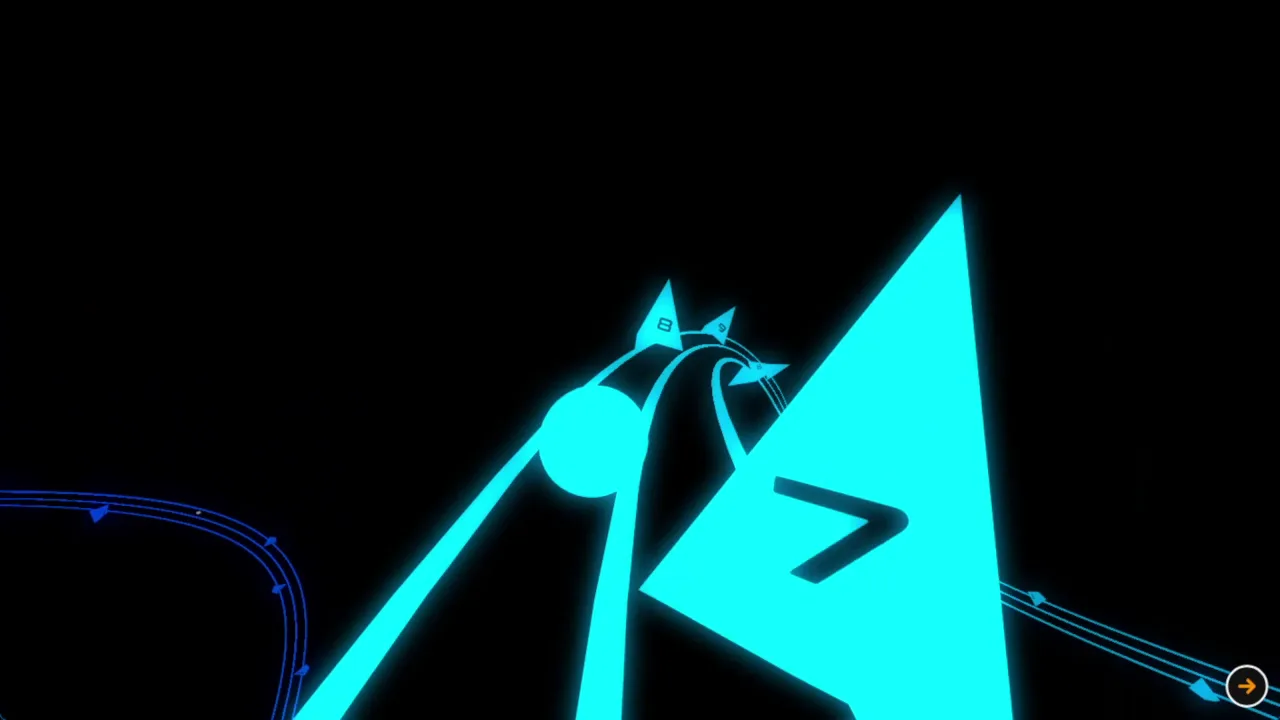
Spikes are the main threat on the road. They sit in a lane as sharp triangles, and touching one ends your run. Since you only have two lanes, a spike in your lane means one answer: switch, and switch now.
That simple setup creates the whole game. Each spike forces a lane change, and the changes come in patterns. Sometimes a single spike asks for one clean tap. Other times the next spike appears in the lane you just moved to, so you have to tap again right away. The road keeps pushing you back and forth, and your job is to follow its beat instead of fighting it.
Reading danger early is the key skill. Look up the road, not at the ball. Spikes show up in the distance well before they reach you, which means you can see where the next one sits and decide your move ahead of time. If the lane in front of you is clear and the far lane holds a spike, stay put. Moving away from safety is a mistake you only make once.
Think about two spikes in a row, one in each lane. You cannot dodge both with a single tap, because the second one punishes the lane you just chose. The trick is to count the gap between them. A wider gap gives you time to switch, then switch back. A tight gap means you must pick the lane that clears the first spike and also stays safe from the second. Spotting that before the ball arrives is what separates a good run from a short one.
Speed makes all of this harder. Because the ball accelerates, the gap between you and the next spike closes faster the longer you survive. A pattern that gave you a comfortable half second at the start gives you much less later. Your tap has to come sooner and land more precisely. This is why a calm, early rhythm matters so much. If you already tap on a steady beat, the faster road just means the same beat, quicker.
Here is a short routine to practice during any run:
Scan ahead to the next spike and note which lane it blocks.
Decide whether your current lane is safe. If it is, do nothing.
If it is not, tap once, early enough to land before the spike arrives.
Glance at the spike after it and plan your next move before you need it.
Stay relaxed. Gripping the keyboard or screen too hard makes your taps jerky and mistimed. A loose, steady hand wins more runs than a tense one. If you want a similar test of reflexes on a twisting course, Slope asks for the same cool-headed timing at high speed.
Scoring and Gem Collection Mechanics
Distance Point Accrual
Your score in Tap Road is tied to how far you travel. The longer you stay alive, the higher the number climbs. There is no trick shot or combo to chase. Survival is the whole scoring system, so every extra stretch of road is points in your pocket.
That makes consistency worth more than daring. Because the ball speeds up over distance, the far end of a run is where you cover ground fastest, but it is also where one slip ends everything. A safe, clean run beats a flashy one that crashes early. Aim to get past your last best mark rather than to risk an unneeded move.
Blue sapphires sit along the road as collectibles, and they unlock cosmetic ball skins. They change how your ball looks, not how it plays. Treat them as a bonus, not a goal. A sapphire placed beside a spike lane can tempt you into a bad switch, and no skin is worth a run you were winning. Grab a gem when the path to it is already safe, and skip it when it asks you to take a risk.
The best approach is simple. Keep your eyes on the hazards first, collect gems that line up with your safe path, and let distance do the heavy lifting on your score. Ready to beat your own record? Try Tap Road right here and see how far your rhythm can carry you. If you like the one-button runner style, Crossy Road is another quick pick-up game.
Shares the exact same core mechanic of timing single taps or clicks to switch directions and keep a moving vehicle on a narrow, twisting roadway without falling off.
Shares the fast-paced endless runner challenge of steering a rolling ball down a narrow, obstacle-filled track, but uses continuous steering controls rather than one-tap lane switching.
✨ Key Features of Tap Road
One-tap instantaneous lane-switching mechanics
Endless 3D geometric highway with vibrant neon visuals
Dynamic speed acceleration that intensifies over distance
Collectible blue sapphires for unlocking cosmetic ball skins
Instant browser play powered by lightweight Unity WebGL technology
How to Play Tap Road
Step 1: Start the Run
Click or tap the game screen to set the glowing ball rolling forward along the starting runway.
Step 2: Switch Lanes to Dodge Spikes
Press the Spacebar, click your mouse, or tap the screen to shift instantly to the clear lane whenever a triangular hazard blocks your path.
Tap to switch lanes when the ball nears a yellow shape, since one tap moves it between the left and right sides at once.In the tap road game, each press of Space, Up Arrow, Left Click or Tap switches lanes and moves the ball to the other side.
Step 3: Collect Sapphires Safely
Align your lane switches to grab sparkling blue gems while prioritizing survival over high-risk pickups.
Step 4: Survive Speed Scaling
Keep your eyes focused ahead on the horizon as the track accelerates to prepare for rapidly alternating hazard patterns.
Tap Road FAQs
What are the basic controls for Tap Road?
Browser keyboard: Space — switch lanes; Up Arrow — switch lanes. Browser mouse: Left Click — switch lanes. Mobile: Tap — switch lanes.
Can I play Tap Road on mobile devices?
Yes. Tap Road runs in your phone or tablet browser, and it has touch controls. There is also a mobile app.
Do I need to download Tap Road?
No. Tap Road runs in your browser on this page, with nothing to download or install.
How does a run end in Tap Road?
A run ends instantly whenever the ball collides with a triangular spike or wall obstacle. Your final score and distance are tallied immediately upon impact.
Conclusion
Tap Road distills the endless runner into its purest form: one input, two lanes, and a rolling ball that never slows down. The Snap-Lane Toggle shifts you instantly from side to side with no steering delay, so every dodge comes down to quick reactions and good rhythm.
It plays right in your browser on desktop or mobile, and the controls are effortless: press Space or the Up Arrow, left-click, or simply tap. Easy to learn, tough to put down, Tap Road is a great singleplayer challenge for a quick session. Start your run here on this page and see how long you can survive.
Tap Road Game Image
Game Controls
Space
Switch lanes
Up Arrow
Switch lanes
Left Click
Switch lanes
Tap
Switch lanes
No comments yet. Be the first to share your thoughts!



No comments yet. Be the first to share your thoughts!