Golf Hit debuted as an accessible arcade golf experience centered on timing-based power mechanics and distance progression. It later made its way to web browsers through a Unity WebGL port, letting players launch drives directly without installation.
Golf Hit turns a simple swing into a rocket launch, and every drive is a chance to send the ball past the clouds. You click once, the needle stops, and the ball either soars or skids. It is an arcade sports game from 2018, and it runs directly in your browser through Unity WebGL.
The loop is easy to learn and hard to put down. You time a tee shot, watch where the ball lands, then spend your rewards on better stats. Each round pushes your distance a little further. Near the hole, the game switches to a hands-on putting style that feels totally different.
Want to see how far one drive can travel? Start playing Golf Hit now, then use the tips below to get more from every swing.
Mastering the Timing Needle in Golf Hit
Tee Shot Power Meter
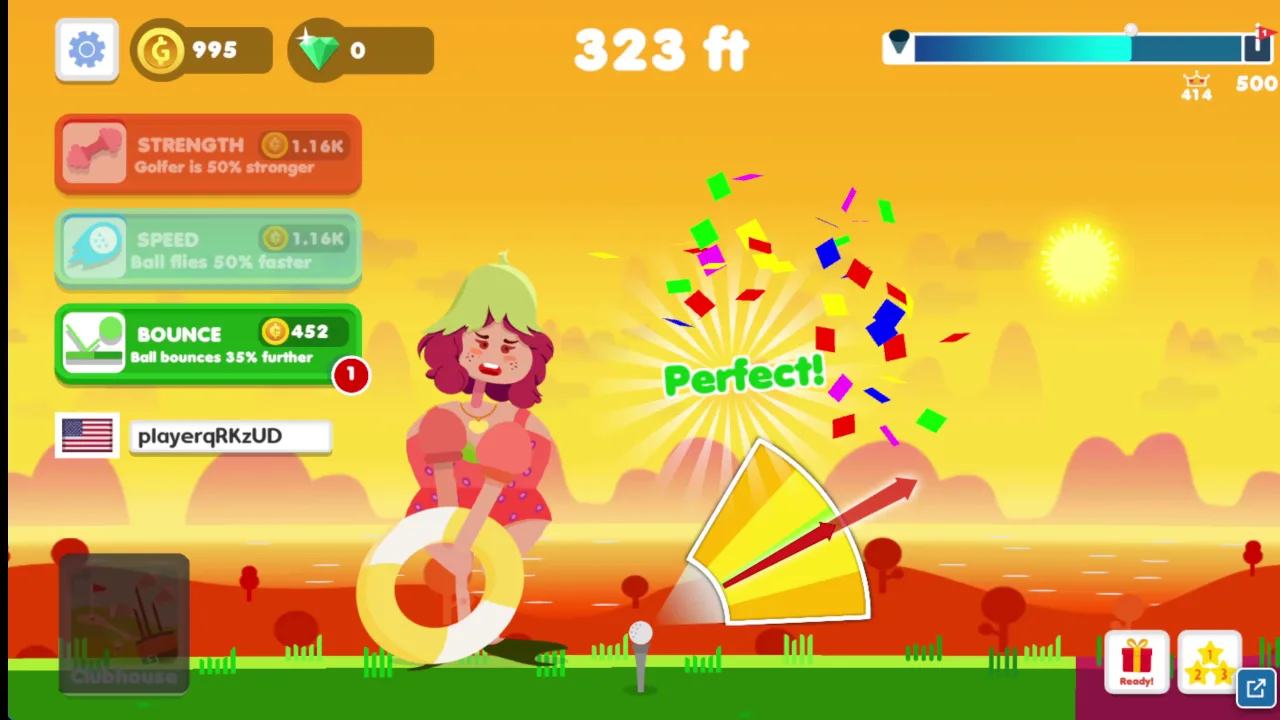
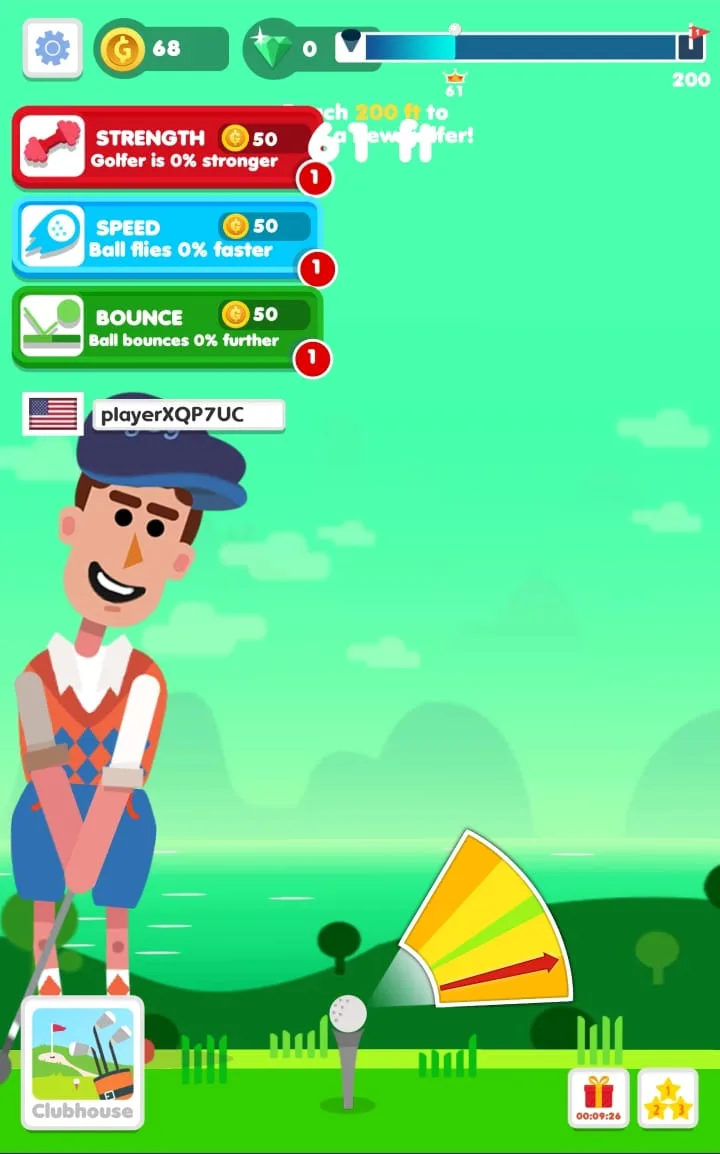
Every tee shot starts with a moving needle. It controls the launch trajectory and the raw impulse power of your drive. On a mouse, you left click to stop it. On mobile, you tap. One press decides how hard and how high the ball goes.
Think of the needle as your whole swing. A well-timed stop gives the ball real lift and real force. A sloppy stop wastes the shot, even if your stats are strong. Upgrades help, but timing still comes first.
Here is a simple habit that works. Watch two or three passes of the needle before you commit. Learn its rhythm and where it feels right to you. Then press at the same moment each time. Steady timing beats lucky timing.
A perfect drive can punch right through the clouds and into planetary orbit. That is the payoff you are chasing. Keep your eyes on the needle, not on the ball. The ball only matters after you release.
Avoiding Weak Off-Center Drives
Miss the sweet spot and the shot suffers. An off-center hit gives you a low, weak drive. The ball does not climb. It rolls a short way along the ground and stops.
These shots hurt because they waste a full turn. You earn little distance and little reward. Skip the rush and wait for the needle to come around again. A patient press is worth far more than a fast one.
If you keep skidding, slow your own pace. Press a touch later or earlier, then compare the result. Small changes show you where the good zone sits.
Upgrading Strength, Speed, and Bounce
Stat Synergy Requirements
You spend your rewards on three stats: strength, speed, and bounce. You reach them through the icons in the top-right corner. Click them on a mouse, or tap them on mobile. Each one changes how your ball behaves in flight and on landing.
The ball hops, loses energy, and stops before it goes far. Pouring everything into one stat looks tempting, but it backfires.
So spread your upgrades. When you buy bounce, check that speed keeps pace. When you add strength, make sure the others do not fall behind. A balanced build travels further than a lopsided one.
Try this pattern after each round. Look at your three stats and find the weakest. Upgrade that one next. It is a simple rule, and it keeps the ball moving instead of stalling.
Multipliers and Coin Rewards
Where the ball stops matters as much as how far it flew. Landing zones are marked x3, x10, and x30. These multiply the reward for that shot. A bigger number means more score and more coins.
Those coins fund your next round of upgrades. So a lucky landing pays you twice: once now, and again through stronger stats. Aim for the high zones when you can, but do not sacrifice a clean drive to chase one.
How Putting Works Near the Hole
Green Drag-and-Release Aiming
Some shots finish near the hole instead of out in the cosmos. When that happens, the game changes how you play. The timing needle goes away. A drag-and-release system takes over.
Here is how it works. Click and hold near the hole, then drag to aim and set your power. On mobile, tap and hold, then drag. Release to strike. The longer your drag, the harder the ball rolls.
This feels more hands-on than a tee shot. You choose both direction and strength yourself. Go gently on short putts. A big drag sends the ball past the cup, so ease off when the hole sits close.
Take a moment to line up before you let go. A calm, steady drag usually beats a quick one.
Early Hole Completion Bonus
Sink the putt and the ball drops into the cup. That ends the hole early. You get immediate bonus completion points instead of tracking more rolling distance across the turf.
It is a clean reward for a careful shot. Treat the green as a chance to cash in, not as a leftover step.
Golf Hit Atmospheric Shifts and Milestones
Punching Through the Clouds
As your distances grow, the scene changes. You start with a familiar backdrop of sky and scenery. It feels like a normal golf course at first. Then your drives get stronger, and the world around the ball starts to shift.
High-power swings are what trigger the big moment. They punch through the clouds and leave that familiar backdrop behind. The sky opens up, and the ball keeps climbing into new territory. It is a great reward for good timing and good upgrades.
Use this as a goal. When you see the clouds break, you know your stats and your swing are working together. A weak drive never gets you there. Keep building toward that moment.
Celestial Backdrops and Orbit
Past the clouds, long shots fly beyond satellites, the Moon, and planets such as Mars. Each one marks a milestone on your way out. Strangely, the ground below stays the same. Only the sky changes, and that makes every new backdrop feel earned.
Unlocking Golfers, Balls, and Worlds
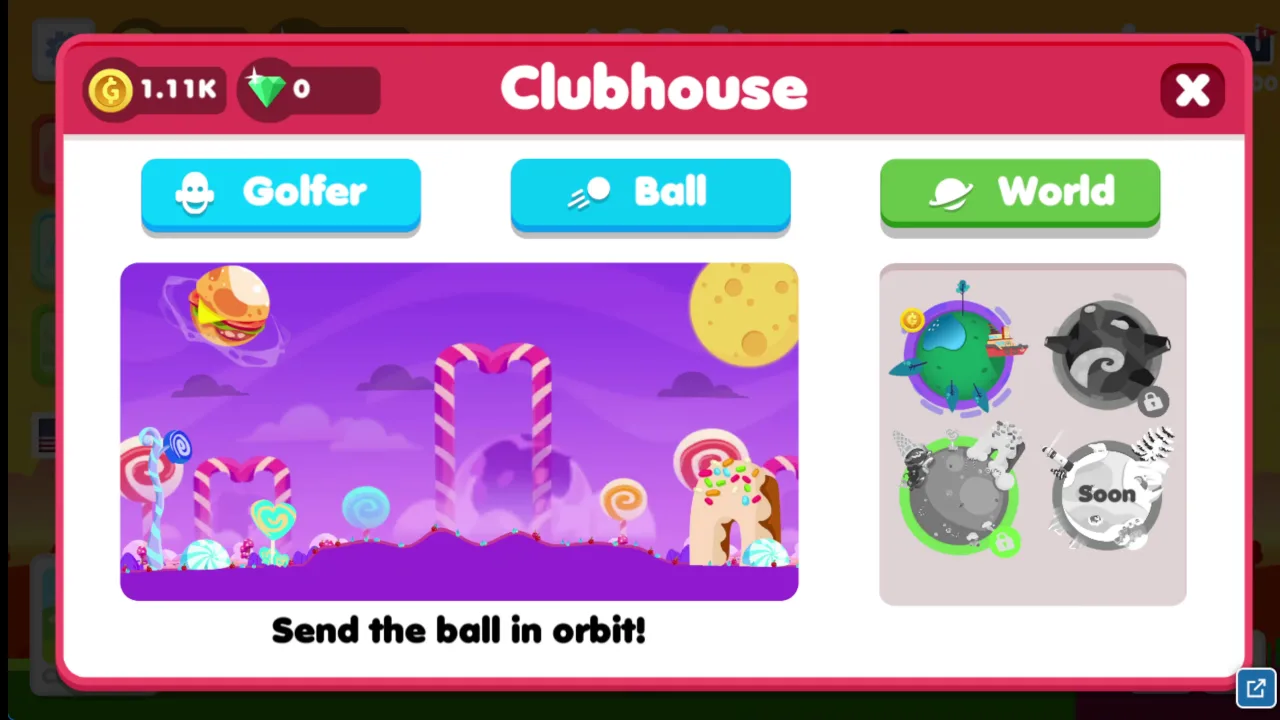
The World panel on the right shows four planets, two marked with lock icons and one labeled Soon.
Roster Progression Tiers
Golf Hit gives you things to collect as you play. The game features 27 golfers in total, and 22 of them become available as you progress. You also unlock 6 balls in different colors along the way.
These unlocks add variety to your run. A new golfer or a fresh ball color changes how your game looks. Keep playing to fill out the full roster. Try Golf Orbit too if you enjoy chasing distance.
Unlocking New Themed Environments
Three other worlds open up as you progress in the game. They arrive as your career distance grows, so longer runs bring fresh scenery. Try Golf Hit right here and push for that next world.
Both games share the objective of sinking a golf ball into the hole across obstacle-filled courses using drag-and-release aiming to control shot power and angle.
Both games use a drag-and-release aiming control style to adjust the trajectory and strike power on a stationary ball.
✨ Key Features of Golf Hit
One-tap timing gauge for high-velocity tee shots
Interactive drag-and-release putting mode on the green
Upgradable player statistics including strength, speed, and bounce
Atmospheric progression spanning satellites, the Moon, and Mars
Distance tracking calculated in feet (ft)
Multiplier landing sectors awarding x3, x10, and x30 bonuses
How to Play Golf Hit
Step 1: Use the game controls
Use Left click to hit the ball using timing and the power meter. Use Click and hold, then drag to aim and set power for the putt near the hole. Use Left click the top-right icons to convert rewards into strength, speed and bounce. Use Tap to hit the ball using timing and the power meter.
Step 2: Time the Tee Shot
Watch the moving needle gauge and click when it reaches the center zone to achieve maximum launch power.
Step 3: Collect Flight Multipliers
Observe your ball soar past cloud layers and land on multiplier zones like x3, x10, or x30 to maximize coin rewards.
Step 4: Putt on the Green
If your ball lands inside the green circle, click, drag backwards to aim, and release to sink the putt into the cup.
Step 5: Upgrade Core Stats
Spend your earned coins on strength, speed, and bounce using the top-right icons to prepare for longer distance runs.
Golf Hit FAQs
Can I play Golf Hit on mobile devices?
Yes. Golf Hit runs in your phone or tablet browser, and it has touch controls.
What are the basic controls for Golf Hit?
Browser mouse: Left click — hit the ball using timing and the power meter; Click and hold, then drag — aim and set power for the putt near the hole; Left click the top-right icons — convert rewards into strength, speed and bounce. Mobile: Tap — hit the ball using timing and the power meter; Tap and hold, then drag — aim and set power for the putt near the hole; Tap the top-right icons — convert rewards into strength, speed and bounce.
Do I need to download Golf Hit?
No. Golf Hit runs in your browser on this page, with nothing to download or install.
How does a hole end in Golf Hit?
A round ends when your ball rolls to a complete stop or drops directly into the cup. Sinking the ball into the hole awards instant completion points instead of added roll distance.
How are distances measured in Golf Hit?
Distance in this build is measured continuously in feet (ft) from the tee box. High-impulse swings push past thousands of feet, carrying the ball through the clouds and into orbit.
Conclusion
Golf Hit turns a simple click into a satisfying test of timing. You stop the power meter at just the right moment to send the ball flying, then aim your putt near the hole by clicking and holding, then dragging.
What keeps it compelling is the way rewards feed back into your game. Land in the multiplier zones, then spend what you earn on strength, speed and bounce using the icons in the top-right corner. This arcade sports game from 2018 runs in your browser or on mobile and plays solo, so a quick round is always within reach.
Ready to swing? Play Golf Hit right here on this page and see how far you can send your next drive.
Golf Hit Game Image
Game Controls
Left click
Hit the ball using timing and the power meter
Click and hold, then drag
Aim and set power for the putt near the hole
Left click the top-right icons
Convert rewards into strength, speed and bounce
Tap
Hit the ball using timing and the power meter
Tap and hold, then drag
Aim and set power for the putt near the hole
Tap the top-right icons
Convert rewards into strength, speed and bounce
No comments yet. Be the first to share your thoughts!



No comments yet. Be the first to share your thoughts!