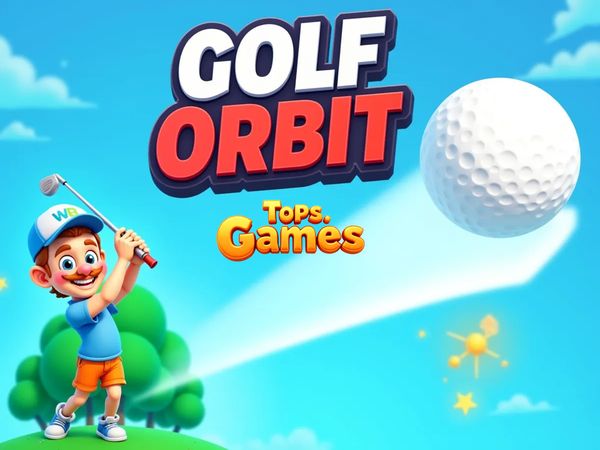
Golf Orbit turns one perfectly timed launch into a fast distance chase through space. You control a single shot, then watch physics carry the ball as far as possible. Every extra stretch matters because distance drives both progress and coins.
This is not a traditional round with several holes. Golf Orbit game keeps the focus on one launch, one result, and one decision about your next improvement. The simple arcade pacing makes each attempt easy to start, while the distance goal gives every shot a clear purpose.
Use the left mouse button to launch the ball at its current power level. Then study the result and adjust your next attempt. Play Golf Orbit online here and chase a longer flight with every run.
Golf Orbit’s One-Shot Distance Chase
What the run is trying to do
Golf Orbit removes the usual golf scorecard. Your main task is simple: launch the ball for maximum distance. The game builds each attempt around one shot, not a complete course with several holes. That keeps the action quick and gives every launch an obvious goal.
After you fire, the ball travels through a physics-based flight. Its final distance defines the quality of the run. A longer launch moves you farther through the game’s distance chase, so progress feels tied to movement rather than traditional hole scores. You are not counting putts or planning a full eighteen-hole round. You are trying to beat the last flight.
That focus changes how you read success. A shot does not need to look elegant. It needs to travel farther. Even a small gain can matter when the next upgrade depends on your latest result.
Why every launch matters
The single-shot structure gives each attempt weight. You choose a launch moment, commit to the current power level, and then watch the ball cover ground. There is no second swing within that run. Once the ball leaves, the result stands.
Distance also connects the action to the economy. Longer travel produces better runs and helps create more coins for later upgrades. That link makes a weak launch useful as feedback, even when it falls short of your best distance. Look at what happened, then make the next shot count.
How the loop stays addictive
Golf Orbit keeps its loop short. Launch, watch the flight, collect the distance result, and prepare for another attempt. The next run starts with a clear target because your previous launch gives you a number to beat.
Coins add a second reason to continue. Each attempt supports the next decision, so progress never feels separate from play. You keep chasing distance because the chase improves future launches.
Timing the Perfect Shot
Reading the power window
Golf Orbit uses one-button launch timing. On desktop, press the Left Mouse Button to launch the ball at its current power level. The key challenge comes before that click. Watch the power movement and choose the moment that gives your shot the best chance to travel.
Do not treat the button press as a formality. It decides the quality of the launch. A rushed click can waste a strong opportunity, while a well-read window gives the ball a better start. Stay focused on the power indicator rather than clicking as soon as the run begins.
Build your timing around the game’s rhythm. Notice how quickly the power changes, then prepare your next click before the ideal moment arrives. The goal is not frantic input. It is a clean decision made at the right time.
Small improvements show up over several attempts. One launch may only travel slightly farther, but that result still teaches you where your timing landed. Use those results to narrow your personal power window.
Why release timing changes results
The launch moment shapes the entire flight. A precise click starts the ball with better power, while an early or late choice can reduce the distance of the attempt. Since Golf Orbit gives you one shot per run, timing errors have no backup swing.
Keep your eyes on the power level and avoid random clicks. A consistent decision creates more useful results than guessing. When a shot beats your previous distance, remember the timing that created it.
That memory gives the next run a real plan. You can repeat a successful rhythm instead of starting from zero each time.
Learning the repeatable rhythm
Start by watching one cycle without rushing. Then click when the power reaches the moment you want. Repeat that choice across several launches and compare the distances.
A steady rhythm beats wild reactions. Golf Orbit rewards attention, not complicated controls. Once the timing feels familiar, you can focus more on distance and upgrades.
Try Golf Orbit right here and turn each launch into a cleaner timing test.
Coins, Upgrades, and the Long-Run Meta
How coins are earned
Coins come from play, with distance driving the reward loop. A launch that travels farther creates a better run and supports your coin total. That makes the flight itself valuable, even before you spend anything.
Think of every attempt as two results. First, you measure how far the ball went. Then you consider what that distance gives you for the next launch. This structure keeps the economy tied to action rather than separating rewards from performance.
Do not judge a run only by its final distance. A modest gain can still move your coin supply forward. Several steady attempts may give you more useful progress than one lucky launch followed by careless clicks.
Watch the connection between timing and earnings. Better power choices improve the chance of longer travel, while longer travel supports more coins. The game keeps those ideas close together.
Which upgrades matter most
Coins fund upgrades that improve the golfer’s performance. The long-run meta centers on strength, speed, and bounce, so each purchase should support the kind of launch you want to build. Stronger performance helps your next attempt pursue a better distance.
Choose upgrades with your current results in mind. If your timing already feels steady, spending coins can help turn that consistency into more travel. If your runs vary widely, keep practicing before blaming the upgrade path.
The best choice is the one that improves your next few launches, not just the one with the biggest description. Every purchase should serve the distance chase.
When to save for bigger gains
Saving coins gives you room to make a more meaningful purchase later. Spend when an upgrade clearly supports your current progress, but avoid using coins without a reason. Let your recent distances guide that choice.
A patient balance works well: improve often, then save when a larger gain feels close. That keeps the economy active without wasting the reward from a strong run.
Worlds, Milestones, and Cosmic Progression
Distance as progression
Golf Orbit measures progress through travel. Longer launches produce better runs and move you forward through the distance chase. This system gives the game a clear sense of motion, even though each attempt begins with one simple launch.
Traditional golf asks you to finish holes with as few shots as possible. Golf Orbit asks a different question: how far can this ball go? That change makes distance the main milestone. A flight that reaches farther feels like a direct step forward.
Use each result as a progress marker. Your best distance shows what your current timing and upgrades can achieve. When you pass it, the next target appears naturally.
Unlocking new locations
The game’s cosmic progression theme frames the distance chase as a journey through space. As your runs move farther, the setting supports that feeling of forward travel. The ball’s flight becomes more than a single number on a result screen.
Focus on improving distance rather than searching for a full-course score. The game ties its forward movement to how far each launch travels. That keeps the location-based feel connected to the core mechanic.
Why the space theme changes the feel
Space gives Golf Orbit a bigger sense of scale. A normal fairway suggests a short target, but a cosmic setting makes every extra stretch feel dramatic.
The theme also matches the simple arcade pacing. You launch, watch the ball soar, and measure how far the journey reaches. The result feels quick, visual, and easy to understand.
Playing Across Browser and Mobile Builds
Desktop and tablet play
Tablet play gives the same compact format in a different setting. The important parts remain the one-shot structure, timing choice, physics-based flight, and distance result.
Mobile store versions
TapNation released Golf Orbit on mobile in 2018, and separate Android and iOS store listings exist. Those versions bring the same one-shot golf concept to mobile play. The store releases and browser listing document different build contexts, so focus on the shared loop when moving between them.
Distance remains the central target. Coins still connect each run with future upgrades across the documented versions.
What stays consistent across builds
Golf Orbit remains a single-player physics arcade sports game across its documented availability. You launch one ball, chase maximum distance, and use coins for upgrades.
Compare with Similar Games
| Game |
Why Similar |
| Blumgi Ball |
launching a ball with one timed shot, then using the ball’s movement and bounces to extend distance |
| Learn to Fly 2 |
distance-based progression where each launch earns money that is spent on upgrades to go farther next attempt |
✨ Key Features of Golf Orbit
- One-button launch timing
- Distance-based scoring
- Coin-powered upgrades
- Cosmic progression theme
- Browser and mobile availability
- Simple arcade pacing
How to Play Golf Orbit
Step 1: Use the game controls
Use Left Mouse Button to launch ball at current power level.
Step 2: Start a launch run
Begin a round and wait for the shot meter to appear. The entire game centers on one launch.
Step 3: Set your shot power
Hold the mouse button as the meter moves. Release at the best moment for a stronger shot.
Step 4: Chase maximum distance
Aim for the best possible launch because distance drives your rewards. Longer shots keep the run alive for longer.
Step 5: Collect coins from good shots
Treat every strong launch as currency income. More coins mean better upgrades after the run ends.
Step 6: Upgrade before the next attempt
Spend coins on improvements that help future launches. That makes the next swing travel farther.
Golf Orbit FAQs
Does Golf Orbit require a separate installation?
No. The browser version of Golf Orbit runs on the page without a separate installation.
What makes the shot timing important?
Golf Orbit is built around precision. Releasing at the right moment improves the shot, while poor timing cuts distance and slows progression.
Conclusion
Golf Orbit is a physics arcade sports game by TapNation that delivers a focused single-player experience in the browser. Its distance-based progression keeps the goal clear: longer launches produce better runs and move you forward through the game’s distance chase. Progress depends on how far the ball travels rather than on full-course scoring, giving every launch a satisfying sense of purpose.
Coins earned from play add meaningful strategy through coin upgrades, which improve the golfer’s performance and turn each launch into a resource decision for the next attempt. The controls stay simple, with the left mouse button launching the ball at its current power level. For a streamlined, replayable distance challenge, play Golf Orbit right here on this page.


No comments yet. Be the first to share your thoughts!