My Newborn Baby Twins Care turns everyday baby care into a quick two-infant challenge. You must keep both newborn twins clean, fed, and dressed. Each routine uses simple point-and-click actions, but two babies create constant pressure.
Wash one baby, prepare a meal, then check the other child. Small delays can make the next task harder to manage. The game focuses on familiar home routines, while its travel activities add errands, shopping, and car care to the simulation.
Use the mouse, follow each prompt, and learn the order of care naturally. If you want a relaxed browser simulation with busy twin-care moments, play My Newborn Baby Twins Care online now and start caring for both babies.
Core Daily Care Routines in My Newborn Baby Twins Care
Bathing and Infant Hygiene
Bath time begins with choosing the right care item. Click the needed object, then hold the left mouse button while dragging it toward the baby. Follow the visual placement carefully. A steady motion helps you complete each hygiene action without wasting time.
Clean both infants rather than focusing on only one. Move between the babies when the routine calls for it, and watch their reactions as you work. The bathing activity gives the game a clear domestic rhythm. You handle one small step, then prepare for the next.
Keep your pointer near the active care area. That makes each drag shorter and easier to control. Wash, finish the hygiene task, and switch attention when the other twin needs help. These simple actions form the foundation of the daily care loop.
Feeding and Nutrition Steps
Feeding requires preparation before serving. Select the food or meal item with a left click, then drag it to the correct baby. Check which twin needs attention first, especially when both infants appear ready.
Serve carefully and avoid rushing the pointer across the screen. Complete the meal action, then look back at the second child. This routine rewards calm movement and clear priorities. Good timing keeps the feeding sequence organized.
Wardrobe and Twin Styling
Choose outfits for both babies through the same point-and-click system. Select a clothing item, hold the left mouse button, and drag it onto the intended twin. Pick each outfit separately so neither baby gets overlooked.
Wardrobe tasks add a light styling break after bathing and feeding. Match the correct item to each infant, complete the change, and move on when both twins look ready.
Managing Dual Infant Needs Simultaneously
Balancing Attention Between Twins
Two babies create the main challenge. One twin may need a bath while the other waits for food. You must notice both needs, then choose a useful order instead of working on one child for too long.
Start with the most urgent visible task. Complete one clear action, then scan the other baby immediately. This short check prevents long gaps between care routines. It also helps you avoid becoming locked into a single activity while the second twin waits.
Keep your cursor movements deliberate. Click the needed object once, drag it directly, and return your attention to the other side of the scene. Long, uncertain movements slow your rhythm. Short actions make the twin-care cycle easier to control.
Think in pairs rather than isolated jobs. After washing one infant, ask whether the other needs food or clothing. After feeding one baby, check the first child again. This habit keeps both newborns inside your attention loop.
The game does not ask for complicated controls. It asks for awareness. Watch the twins, identify the next useful action, and change focus often. That simple pattern makes the difference between smooth care and neglecting one baby.
Sequential Task Completion
Clear sequences make busy moments manageable. Use this order when several needs appear together:
- Check both twins and identify the most urgent routine.
- Complete that action with one click-and-drag movement.
- Switch to the other baby and repeat the check.
Do not begin several actions at once. Finish the current step, confirm its result, and then move forward. A clean sequence reduces pointer mistakes and keeps the household routine moving.
Running Errands and Newborn Baby Car Care
Errand Trips with Mother Lucy
Mother Lucy expands the care setting beyond a stationary nursery. During car rides, you continue looking after both newborn twins while handling errands. The change of setting gives the routine a fresh pace and adds movement to the simulation.
Watch the twins during the journey and respond to the task shown on screen. You may need to shift between care and travel-related actions. Keep your attention divided without making random clicks. Each action should support the current errand.
Errand mini-games connect newborn care with everyday shopping. You are not only washing, feeding, or dressing the babies. You also help maintain the household while Lucy travels with them. That wider role makes the title feel like a complete care routine.
Use the car ride as a planning moment. Notice what the household needs before selecting the next item. Food supports meals, snacks add another useful supply, and toys give you more options for the twins. Keep the trip focused and finish each task before moving ahead.
Travel also tests your twin-management habits. One baby can claim your attention while the other remains nearby. Check both infants after each errand action. This keeps the car-care section tied to the game’s central challenge: managing two newborns together.
Shopping for Supplies and Toys
Shopping tasks let you purchase food, snacks, and toys for the household. Select the needed item, then use the drag action when the scene asks for placement. Choose supplies with purpose rather than clicking every object.
Food and snacks support the care routine, while toys add variety to the shopping activity. Keep track of both babies during the trip, then return to their needs after each purchase. The errand works best when you treat shopping and care as connected tasks.
Try My Newborn Baby Twins Care right here when you are ready for a hands-on twin-care challenge.
Mouse Controls and Interface Navigation
Interactive Click and Drag Actions
The HTML5 browser edition uses pure mouse input. Press the Left Mouse Button to select an item. Hold that button to drag tools and objects across the scene.
Begin by locating the object linked to the current task. Left-click it once, then keep the button held as you move toward the baby or target area. Release after the item reaches the correct position. This pattern handles bathing, feeding, dressing, and other on-screen interactions.
Keep the drag path direct. Start inside the item, move smoothly, and finish over the highlighted target. If the object does not respond, reposition the pointer and try again. Avoid clicking several objects before completing the active action.
Mouse control keeps the game accessible and easy to learn. You do not need a long command list. Instead, you build accuracy through repeated selection and dragging. That makes each routine feel clear while still demanding attention between the twins.
Visual Cues and Prompt Tracking
Watch the scene for highlighted items and task prompts. These cues show where your next action belongs. Read the prompt, select the matching object, and drag it to the indicated baby or area.
Do not ignore the second twin while following a cue. Complete the prompt, then scan the rest of the screen. Visual awareness helps you catch the next need before it becomes a distraction.
Platform Availability and Development History
Beansprites Mobile Origins
Beansprites LLC created My Newborn Baby Twins Care as an educational, family-friendly care simulation. The original mobile app release centers on everyday infant routines and the challenges of managing twins.
Its design focuses on direct activities rather than complicated systems. Players bathe, feed, and dress two newborn babies. That structure gives the game a clear simulation identity while keeping each task easy to understand.
The game uses a single-player format. One player guides the care routines from start to finish. Its educational angle comes through familiar household actions, not through difficult controls or dense menus.
Browser Adaptations and Instant Play
Open the game, choose an item, and begin the twin-care routine from the page.
Compare with Similar Games
| Game |
Why Similar |
| Papa's Pizzeria |
Both games share a step-by-step procedural task structure where players complete multi-stage maintenance routines using drag-and-drop interactive tools. |
✨ Key Features of My Newborn Baby Twins Care
- Dual infant care simulation managing two newborn twins simultaneously
- Diverse daily activities covering bathing, feeding, and dressing routines
- Errand and shopping mini-games in supported editions
- Simple left-click and drag-and-drop mouse interface suitable for casual play
- Instant HTML5 browser accessibility with no required downloads
How to Play My Newborn Baby Twins Care
Step 1: Use the game controls
Use Left Mouse Button to select items, Drag and drop objects.
Step 2: Launch the Game and Select a Care Routine
Click the start button on the main menu to begin assisting mother Lucy with the twin babies.
Step 3: Bathe and Clean the Twins
Use the mouse to select bath accessories, wash each newborn in the tub, and dry them thoroughly.
Step 4: Prepare Food and Feed Both Infants
Drag feeding bottles and baby food bowls toward each twin until both babies are satisfied.
Step 5: Dress the Babies in Fresh Outfits
Open the wardrobe menu to select shirts, bottoms, hats, and accessories for each child.
Step 6: Complete Errands and Activity Stages
Engage in shopping or errand mini-games to collect baby supplies and toys to finish the care cycle.
My Newborn Baby Twins Care FAQs
Does My Newborn Baby Twins Care require a separate installation?
No. The browser version of My Newborn Baby Twins Care runs on the page without a separate installation.
Conclusion
My Newborn Baby Twins Care is a charming HTML5 simulation that makes caring for twins the center of a relaxed singleplayer experience. Look after the newborns during car rides while running errands and shopping for essentials, adding a helpful travel element beyond stationary domestic nurseries. The combination of baby care and everyday activities gives the experience a warm, varied feel without losing its clear focus.
If you enjoy gentle simulations focused on newborn care, car rides, and shopping essentials, try My Newborn Baby Twins Care and play it right here.
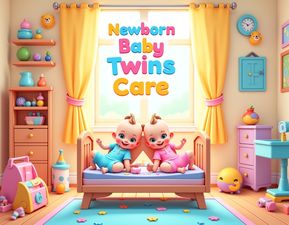
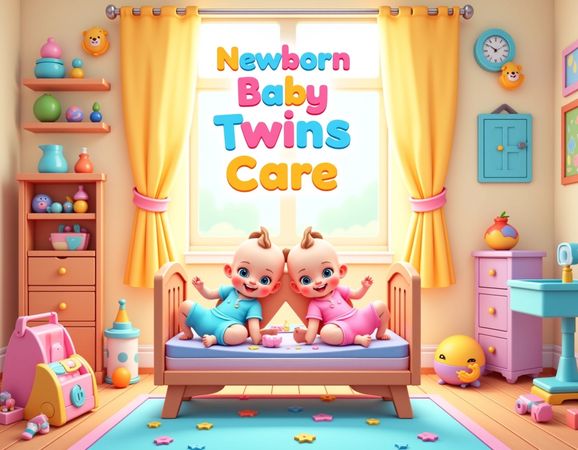
My Newborn Baby Twins Care Game Image

No comments yet. Be the first to share your thoughts!